Here are step by step instructions for how to get the DexterPay app to work for you:
Step 1: Download the free DexterPay app to your phone. Click on the appropriate button. Once you are in the application store, search for the DexterPay app.
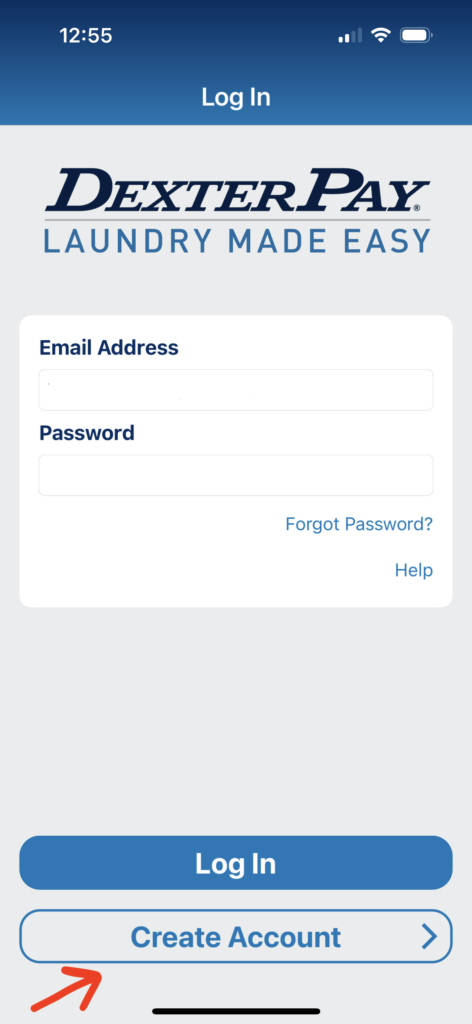
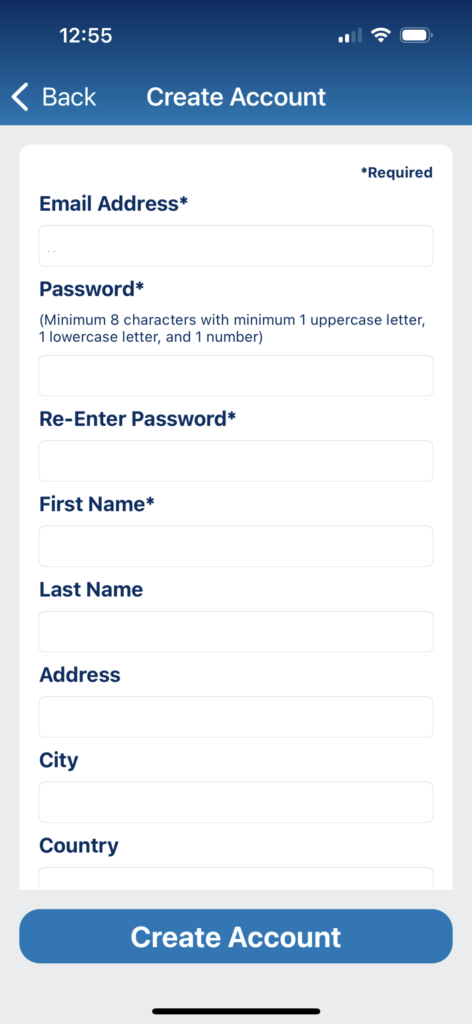
Step 2: Open the app, click “Create Account,” and fill out the requested information. Include your cell phone number if you want to receive text when your load is finished.
Step 3: Open your email and find the verification email from DexterPay. You must verify your account before you can use the app.
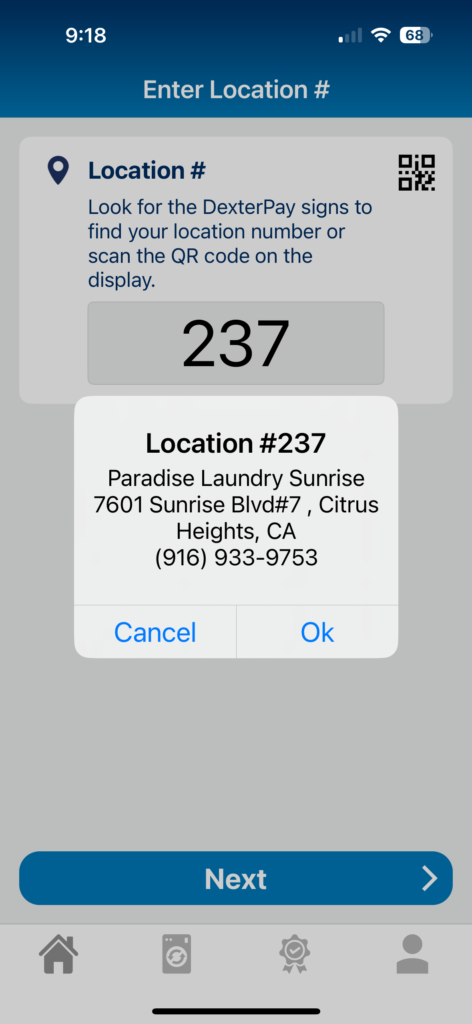
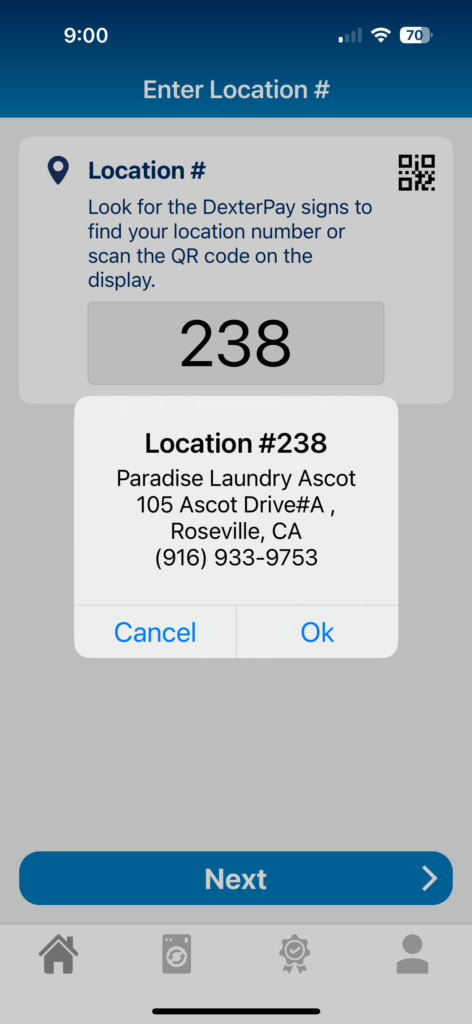
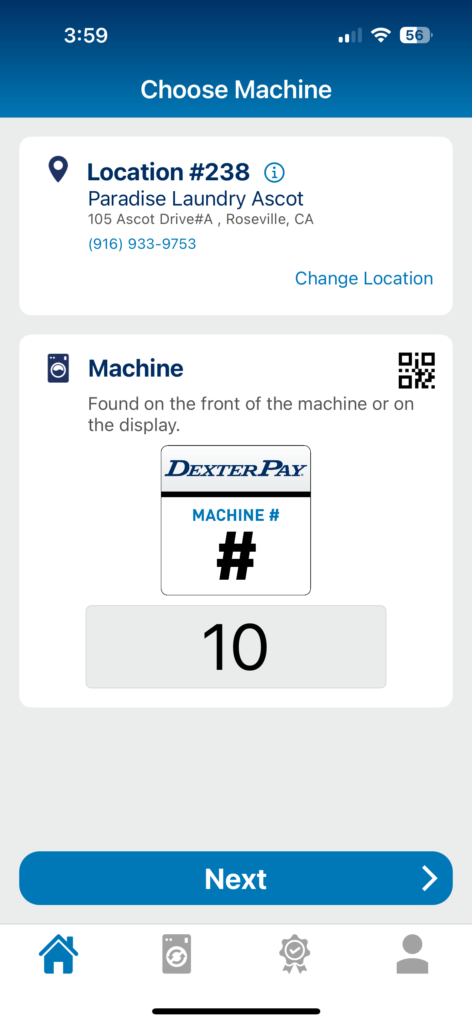
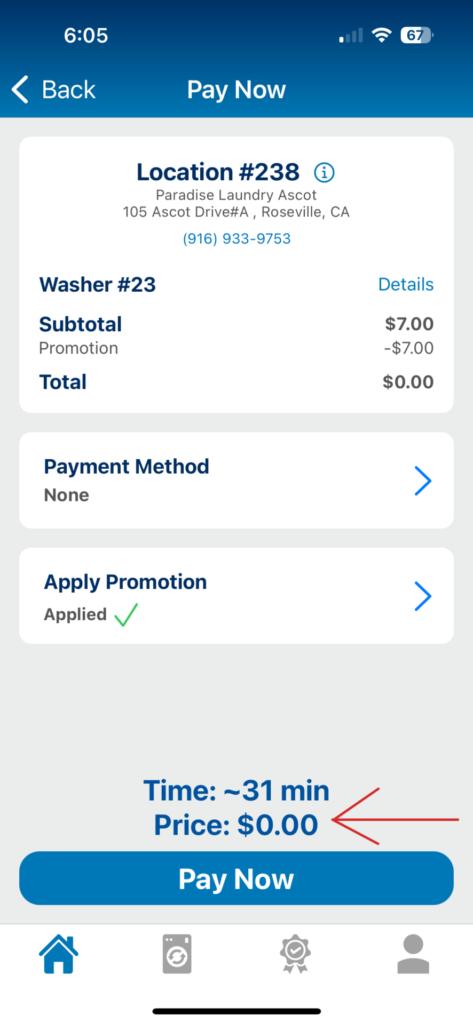
Step 4: Login to the app and select the location. Citrus Heights is location #237. Roseville is Location #238. It will ask you to confirm you have entered the correct laundromat.
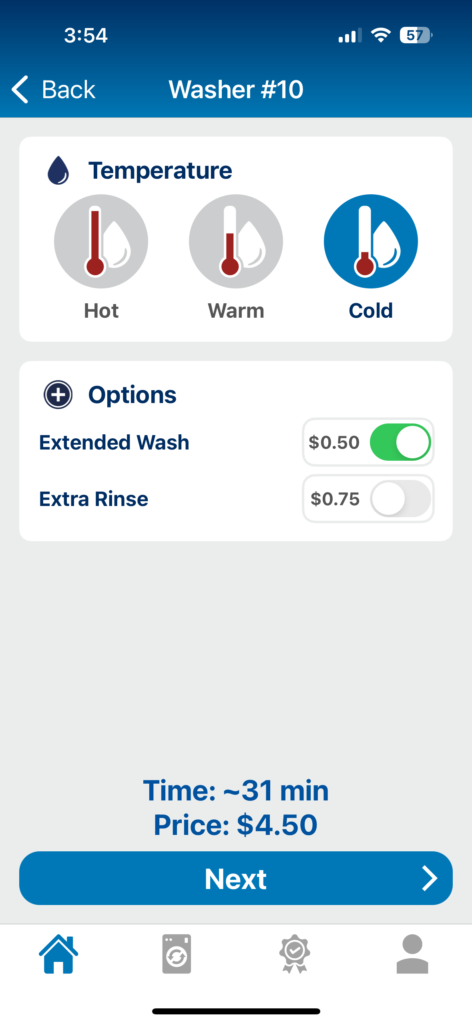
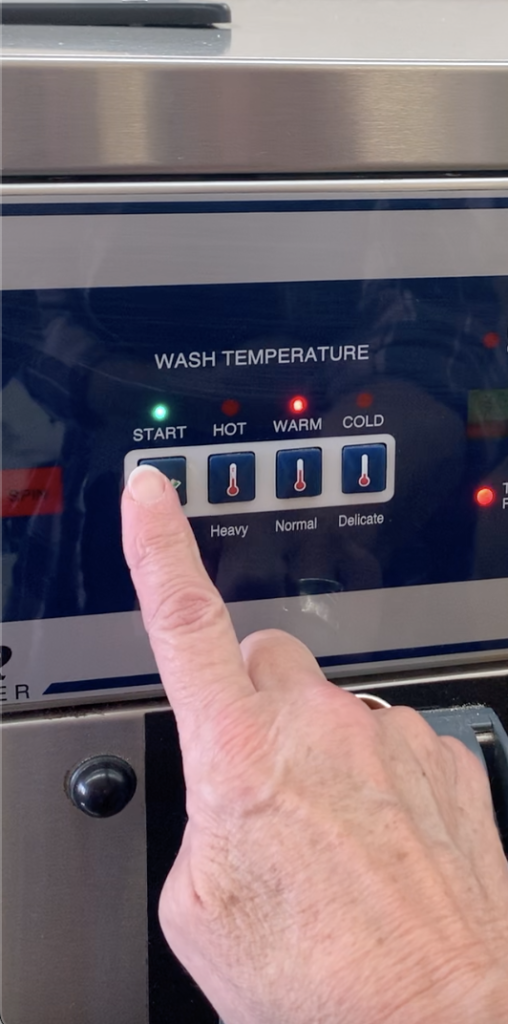
Step 5: Put in the number posted on the MACHINE number you are using. Hit “Next” and select your temperature settings and cycle options then hit “Next” again.
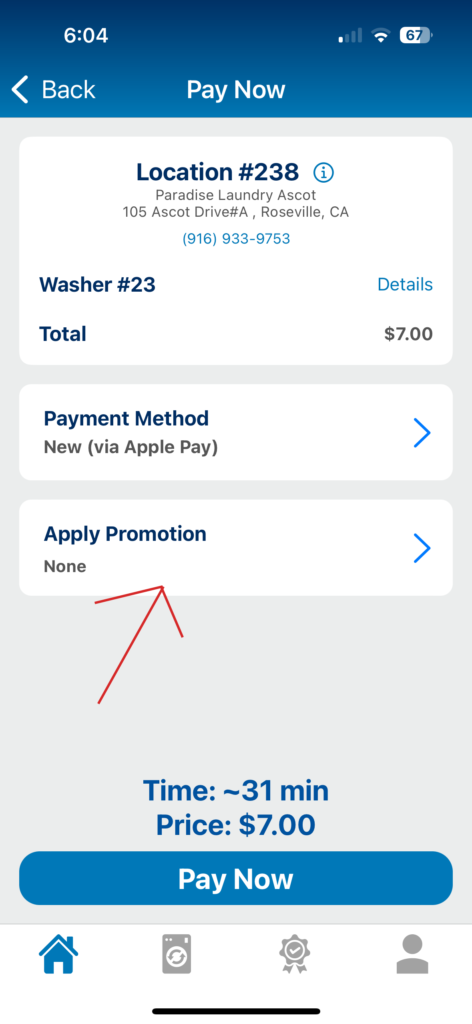
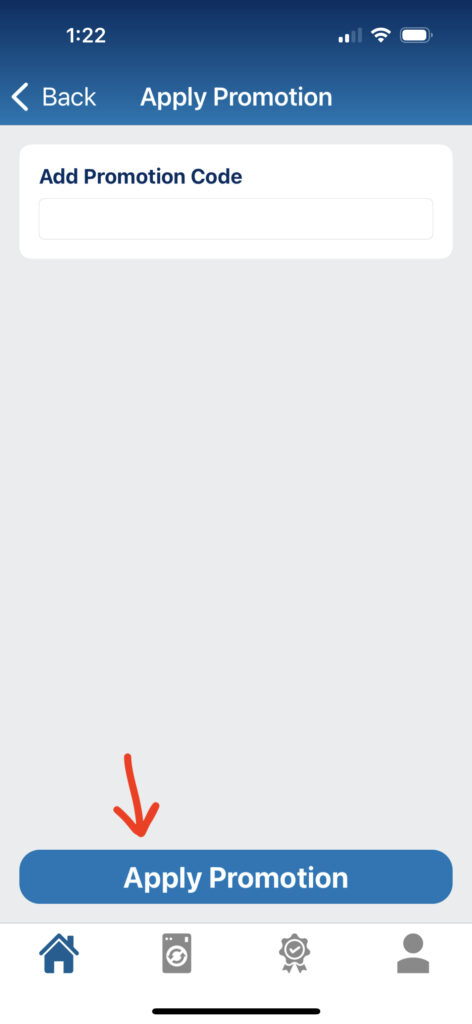
Step 6: Click “Apply Promotion” and enter the appropriate promo code. Then hit “Apply Promotion” again.
Step 7: With the promotion applied, the amount due should be $0. Press “Pay Now” and start your machine. Please note: New user promotion code is one-time only. Frequent DexterPay users may receive frequent washer credits.
Creating an account on the DexterPay app is a straightforward process designed to enhance your laundry experience. Simply download the app, open it, and click on “Create Account.” You will be prompted to enter your personal information, which is necessary for account verification and security.
Once you submit your information, check your email for a verification message from DexterPay. Clicking the verification link will activate your account, allowing you to log in and start using the app for your laundry services. This step ensures that your account is secure and that you can access all features seamlessly.
How to Use the DexterPay App for Laundry
Using the DexterPay app for laundry services simplifies the entire process, making it more convenient for users. After logging in, select the laundry location you are at and enter the machine number to get started. The app will guide you through selecting temperature settings and cycle options.
Moreover, the app allows you to apply promotional codes directly within the payment interface. This feature not only helps you save money but also streamlines the payment process, making it quick and efficient. With just a few taps, you can initiate your laundry cycle without the hassle of cash or physical cards.
Tips for Using Promotions Effectively
Promotions are a great way to save money when using the DexterPay app. Be sure to check for any available promo codes before starting your laundry. These codes can often be found on the app, in promotional emails, or through social media channels associated with Paradise Laundry.
It's important to note that some promotions may be limited to new users or have expiration dates. Always read the terms and conditions associated with each promotion to maximize your savings and ensure you are applying them correctly during the payment process.
Frequently Asked Questions about DexterPay
Many users have questions about the DexterPay app and its functionalities. Common inquiries include issues related to account creation, payment processing, and troubleshooting machine-related problems. This section aims to address those concerns with clear and concise answers.
For example, if you encounter difficulties during payment, ensure that your internet connection is stable and that you have entered the correct machine number. If problems persist, contacting customer support through the app can provide immediate assistance to resolve your issues quickly.